

Property search tips for busy buyers are proven methods to cut search time while improving match quality. At 6638 152A St Unit 102 in Surrey, Woodhouse Realty uses MLS filters, VIP alerts, and a simple daily workflow to help you shortlist great homes fast. This guide shows you exactly how to do it.
By Benny Jain, Founder & Realtor, Woodhouse Realty
Last updated: 2026-05-31
Quick Summary
Save hours each week by batching searches, using MLS filters precisely, turning on VIP email alerts, and touring in focused clusters. Woodhouse Realty’s Surrey-focused tools—Featured Listings, Home Search, and the What’s My Home Worth feature—reduce guesswork and keep you first to know about new opportunities.
Here’s the short version if you’re in a rush.
- Block 20-minute sessions, 3–4 times weekly; review saved searches and new alerts first.
- Use tight filters: must-have beds/baths, property type, key neighborhoods, and commute caps.
- Turn on VIP email alerts to hear about listings early; star only the top 10%.
- Tour in clusters; schedule back-to-back 20–30 minute showings to compare apples-to-apples.
- Check value quickly with a fast home valuation for comps and trends.
What Is a Time‑Smart Property Search?
A time‑smart property search is a repeatable, 30‑minute‑a‑day system that narrows listings with strict filters, automates alerts, and batches tours. The goal is fewer but better choices, so you act quickly with confidence instead of endlessly scrolling or touring homes that don’t fit.
Busy buyers need a process that runs on rails. Time‑smart search means you decide once, automate the rest, and review high‑quality matches on your schedule.
- Define non‑negotiables first: beds, baths, type (house/condo/townhome), parking, outdoor space.
- Set deal‑breakers: max commute time, building age limits, pet or rental rules (for condos), strata preferences.
- Automate new‑listing detection: VIP email alerts push opportunities so you don’t pull.
- Batch decisions: shortlist, request disclosures, and book showings in one sitting.
In our experience, buyers who follow a time‑smart workflow reduce random browsing by 50–60% and convert saved favorites into showings within 24–48 hours. That momentum keeps you ahead of competing offers.
Why Efficient Search Matters
Efficiency prevents decision fatigue, reduces missed opportunities, and improves offer quality. When you filter tightly and act fast on alerts, you tour fewer homes, compare more clearly, and submit stronger, cleaner offers—often within days instead of weeks.
Time is a competitive edge. Every extra hour of unstructured scrolling adds noise, while one well‑timed alert can be the difference between seeing a home on day one or day five.
- Fewer, better tours: Many successful buyers tour 3–6 properties total when filters are specific.
- Faster decisions: Pre‑sorting online helps you decide on site; most clients need 10–15 minutes per home.
- Higher confidence: A tight comp set and clean checklist reduce second‑guessing.
- Lower stress: Predictable routines (alerts → review → tours) keep emotions steady.
We’ve seen Surrey clients move from months of casual browsing to accepted offers within two weeks once alerts, saved searches, and a strict touring plan are in place.
Step‑by‑Step: Run a Pro‑Grade Search in 30 Minutes a Day
Block three 30‑minute sessions per week. In each: check VIP alerts, scan only listings that meet non‑negotiables, save the best 10%, request disclosures on the top three, then book a cluster tour. Repeat. This rhythm keeps you first in line without living in your inbox.
Daily/Weekly cadence
- Session 1 (30 min): Review VIP alerts; apply must‑have filters; save 3–5 potential fits.
- Session 2 (30 min): Deep‑dive the top three: photos, floor plans, strata docs (if available), and recent sales.
- Session 3 (30 min): Book a cluster tour; plan a route with 20–30 minute slots and a nearby coffee stop between.
Filters that do the heavy lifting
- Property type: lock to house, townhome, or condo—don’t mix unless you truly will buy either.
- Layout needs: minimum bedrooms and a real workspace (den counts if it has a door).
- Commute caps: define maximum minutes to work/school and filter by map radius, not city name.
- Age/condition bands: e.g., “built after 2000” or “renovated kitchens,” to avoid surprise projects.
Tour like a pro
- Back‑to‑back windows: See 3–4 homes within a 1–2 mile radius; freshness improves comparison quality.
- Measure the musts: Bring a measuring tape or phone LiDAR; verify furniture fits before you fall in love.
- Capture evidence: Take the same three photos in each home: exterior, kitchen, primary bedroom.
- Scorecard on the curb: Rate 1–5 on layout, light, noise, and “feel” while it’s fresh.
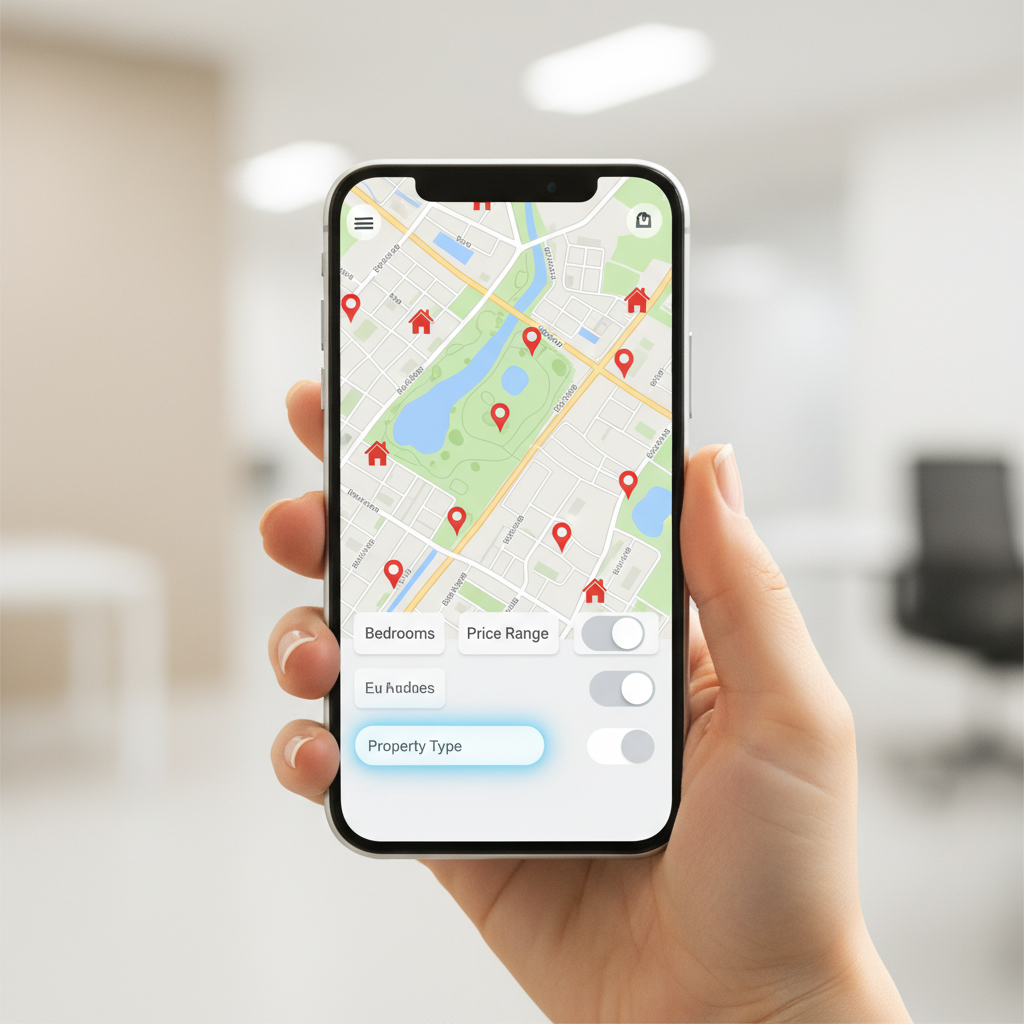
Property Search Tips for Busy Buyers (Surrey Edition)
Lock in your must‑haves, build saved searches, and let VIP alerts work while you work. Then review in short bursts, star only the best, and tour in clusters. This simple loop keeps you efficient in a competitive Surrey market.
These are the practical moves we coach Surrey buyers to use from day one.
- Make two lists: 5 non‑negotiables and 5 nice‑to‑haves. Revisit after every tour.
- Save three searches: primary target, stretch option (slightly higher spec), and fallback (wider area).
- Star only the elite: Mark the top 10% so your shortlist stays short.
- Use map radius: Draw circles around workplaces, schools, or transit—names of areas can mislead.
- Watch strata rules: For condos/townhomes, check pet, rental, and renovation policies early.
- Preview with street‑view: A 60‑second pass often saves a 60‑minute tour.
- Track commute twice: Test weekday morning and evening; 10 minutes difference can change your pick.
- Batch questions: Send one clear email with 3–5 questions per listing; you’ll get faster answers.
Clients who tighten filters in the first week typically cut their touring list by a third and feel more certain when it’s time to write.
Comparison: Alerts, Portals, DIY Drive‑Bys, and VIP Email
VIP email alerts and MLS‑powered saved searches surface listings sooner and with richer data than casual portal browsing or drive‑bys. For busy buyers, the best stack pairs strict saved searches with VIP alerts and occasional portal scans for photos.
Here’s a quick side‑by‑side to help you choose your stack.
| Method | Speed to New Listings | Data Depth | Effort Required | Best Use |
|---|---|---|---|---|
| MLS Saved Searches | High (often same‑day) | Comprehensive | Low once set | Daily baseline feed |
| VIP Email Alerts | Very high (push to inbox) | Targeted | Very low | Be first in line |
| Public Portals | Varies | Good visuals | Medium | Photo review, quick scans |
| DIY Drive‑Bys | Low | Context only | High | Neighborhood vibe checks |
You can also learn what modern listing apps typically offer in this general mobile features checklist, then use VIP alerts to avoid constant checking.
Pricing and Value Considerations (No Dollar Talk)
Focus on value, not line items: the best tools save time, reduce missed chances, and improve offer quality. For most buyers, the highest‑value stack is strict saved searches plus VIP alerts, with selective tours guided by a local REALTOR®.
Here’s how we help buyers think in terms of value.
- Time saved is leverage: A 15‑minute alert review can replace an hour of portal surfing.
- Missed‑listing risk: Push alerts reduce the chance you discover a match days late.
- Offer accuracy: Better comps and disclosures mean cleaner terms and stronger confidence.
- Local knowledge: Context on micro‑pockets and building histories prevents unforced errors.
If you want a general refresher on buyer process basics, this third‑party buyer’s guide outlines common steps many shoppers follow before customizing with their agent.
Tools and Resources to Speed Up Your Search
Use one platform for search, alerts, and valuation so your data syncs. Woodhouse Realty’s Featured Listings, MLS‑powered Home Search, What’s My Home Worth, and VIP Reports combine discovery, comps, and timing in a single Surrey‑focused toolkit.
Here’s a streamlined toolkit our clients use daily.
- Featured Listings: Curated homes worth a look—useful when you want inspiration without widening filters.
- Home Search (MLS): Build 2–3 saved searches with tight criteria; turn on email alerts per search.
- What’s My Home Worth: Run quick valuations to understand price bands and nearby comps.
- VIP Reports: Opt in for early alerts and bite‑size market notes so you can react in minutes.
- Agent Search: When you’re close to writing, align with a Surrey REALTOR® who knows your micro‑pockets.
For a general overview of how many shoppers structure their online search, this independent property search guide shows common workflows you can adapt locally.
Local Shortcuts for Surrey and Metro Vancouver Buyers
In East Newton Business Park and across Metro Vancouver, cluster tours around key corridors, use commute‑time circles, and watch micro‑neighborhood inventory patterns. These local tactics keep travel tight and surface listings that match your daily routine.
Time‑saving habits we see working repeatedly around Surrey.
- Tour corridors, not cities: Plan routes along your primary commute to keep drive time predictable.
- Inventory micro‑patterns: Some strata buildings release units in waves—alerts catch these quickly.
- Weekday lunch windows: Midday showings are quieter; 20–30 minutes can cover a full tour.
- Weather‑aware planning: After rain, check basements, grading, and gutter flow during the tour.
Local considerations for East Newton Business Park
- Use nearby green space like Sullivan Park as a quick “vibe check” stop between clustered showings.
- Leverage off‑peak hours; traffic near Pacific Life Bible College can add minutes during class changes.
- If you rely on transit, align tours with frequent buses at EB/NB 64 Ave & 152 St stops for tight scheduling.

Case Studies: Two Busy Buyers, Two Smart Wins
A simple alert‑driven workflow helps different lifestyles. One buyer with a long commute won by using radius filters and lunchtime tours; another with school‑zone needs relied on building‑specific alerts and Saturday clusters. Both wrote confident offers within two weeks.
Case 1: The commuter buyer
A Surrey professional needed a 30‑minute door‑to‑door commute. We drew a strict map radius around key interchanges and set alerts for townhomes with two parking spots, built after 2005. Within four days, three hits landed. After a 90‑minute cluster tour, one home stood out and moved to offer within 48 hours.
- What worked: Commute‑time circle, age filter, and a no‑exceptions parking rule.
- Key habit: Lunch‑hour tours to avoid weekend traffic and keep comparisons fresh.
Case 2: The school‑zone buyer
This buyer prioritized specific catchments. We created saved searches by school boundary rather than neighborhood labels, then enabled building‑level alerts for two strata complexes with strong track records. After a week of monitoring, a rare corner unit appeared; Saturday clusters made comparison easy.
- What worked: School‑boundary maps, building‑specific alerts, and a pre‑written tour route.
- Key habit: Fast document review (strata minutes and rules) to qualify before touring.
Frequently Asked Questions
Busy buyers succeed by defining must‑haves, automating alerts, and touring in clusters. The FAQs below answer common workflow questions so you can move faster with fewer surprises and write stronger offers with confidence.
How many saved searches should I create?
Start with three: your primary target, a stretch version with slightly higher specs, and a fallback with a wider map radius or older homes. Review results for a week, then tighten criteria based on what’s actually hitting your inbox.
What’s the fastest way to spot a great listing?
Turn on VIP email alerts for your strictest saved searches. When a match hits, check photos first, confirm must‑haves, and star it. If it still looks right, request disclosures immediately and try to tour within 24–48 hours.
How do I compare homes quickly after touring?
Use a simple scorecard: layout, natural light, noise, storage, and “feel.” Write the numbers before you drive away. A consistent 1–5 scale across 3–4 homes viewed back‑to‑back makes the winner obvious.
Should I tour condos and houses at the same time?
Usually no. Tour one property type per session so your comparisons are clean. Mixing types introduces too many variables—fees, maintenance, land—making it harder to choose confidently and quickly.
Key Takeaways
Build strict saved searches, activate VIP alerts, and tour in tight clusters. Keep a short shortlist and a simple scorecard. This loop saves hours weekly and helps you write better offers in Surrey’s competitive market.
- Decide once on must‑haves; automate the rest.
- Use three saved searches and star only the top 10%.
- Cluster tours for clear, same‑day comparisons.
- Lean on quick valuations to sanity‑check value.
- Stay local: micro‑pockets matter more than broad labels.
Conclusion and Next Steps
A simple alert‑first workflow turns house‑hunting into a predictable routine. With strict filters, VIP emails, and cluster tours, you’ll spend less time scrolling and more time choosing confidently. The result: fewer tours, faster decisions, stronger offers.
Ready to move from browsing to buying? Use Featured Listings to spark ideas, build three MLS saved searches, and opt into VIP Reports. If you’re asking “Surrey home value questions” or want comps for a target neighborhood, run a quick valuation to anchor expectations. When you’re set to tour, we’ll map an efficient route and keep you first in line.
Need a 20‑minute search setup? We’ll help you define must‑haves, create three saved searches, and turn on VIP alerts so your next week runs on autopilot.